
About Equals Money
Equals Money provides business payment accounts, foreign exchange and payment infrastructure. The Crassula connector covers the agreed account, beneficiary and payment workflows, with transaction updates used to keep operational records in sync. Currency support, payment schemes and payee checks should be mapped to the specific provider agreement and integration version before they are offered to customers.
Account and payment workflows
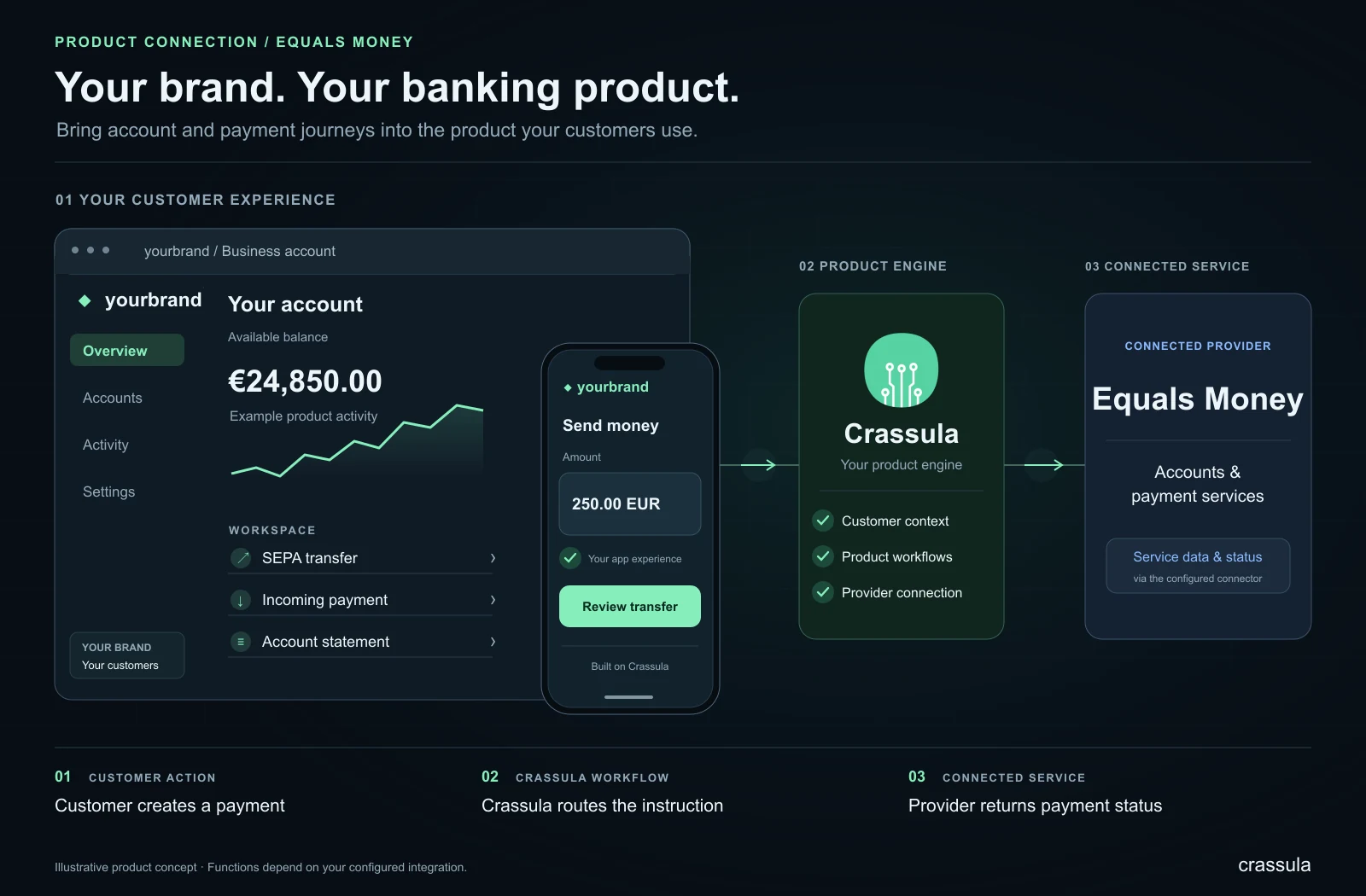
A banking connection is useful when a product needs to link customer account activity with an external account or payment service. Typical planning areas include account identifiers, beneficiary information, payment instructions and status updates. Crassula’s back office provides the operational context around the functions enabled in the project.
- Map customer accounts and provider references consistently.
- Define how payment requests and responses appear in the product.
- Plan reconciliation, exception handling and customer enquiries.
The practical benefit is a more coherent workflow for teams serving customers across account and payment journeys. Operators can understand where a request sits, what information is available and which party needs to take the next action. Exact account types and scheme access remain specific to the contracted provider service.
Working with the connector
Crassula provides the software layer for organising customer journeys and operational processes around the connected service. A team can bring the functions included in its implementation into a branded product, while retaining a common place to review customer information, service requests and the resulting operational records. The provider continues to deliver its part of the service under the relevant agreement.
A useful starting point is to map the customer journey from the initial request to its final outcome. Define which information is submitted, what response is expected, which status is shown to the customer and how an operator handles an exception. This makes it easier to design a clear experience and to identify where automated processing or human review is appropriate.
Planning your implementation
Agree the required functions with Crassula and the provider, then test the complete journey in the available test environment. Include successful requests, incomplete data, unsuccessful responses and recovery after an interruption. Establish responsibility for customer support, operational follow-up and changes to the provider service. The connector can then become part of a documented product workflow, with clear expectations for customers and the team operating it.
Provider and connector overview
The gallery gives a provider-specific visual overview. Official imagery is included where available, alongside a simplified explanatory diagram of the connector’s role in a Crassula product.